Personalized Quote Graphics – Welcome
 My name is Norma Allen Esler, and I’ll be designing your Personalized Quote Graphics. I’m so excited that you’ve taken this step to give credibility and visibility to your business.
I can’t wait to begin working on your personalized quote graphics! But first there are some things I need from you.
Click the button below to go to a Google form where you will be asked to provide the following:
- Your name
- Your URL that you wish featured on your graphics
- Your image or logo that you wish featured on your graphics
- Your featured color for branding purposes as hex code (eg: #9FE2BF)
Find your theme color here: HTML Color Codes
When your graphics are ready, I’ll place them in a shared Google folder and will upload future custom resources into your folder as they are completed. You will receive a notification as each new set of graphics is uploaded.
Click the button below to get started.
What’s next?
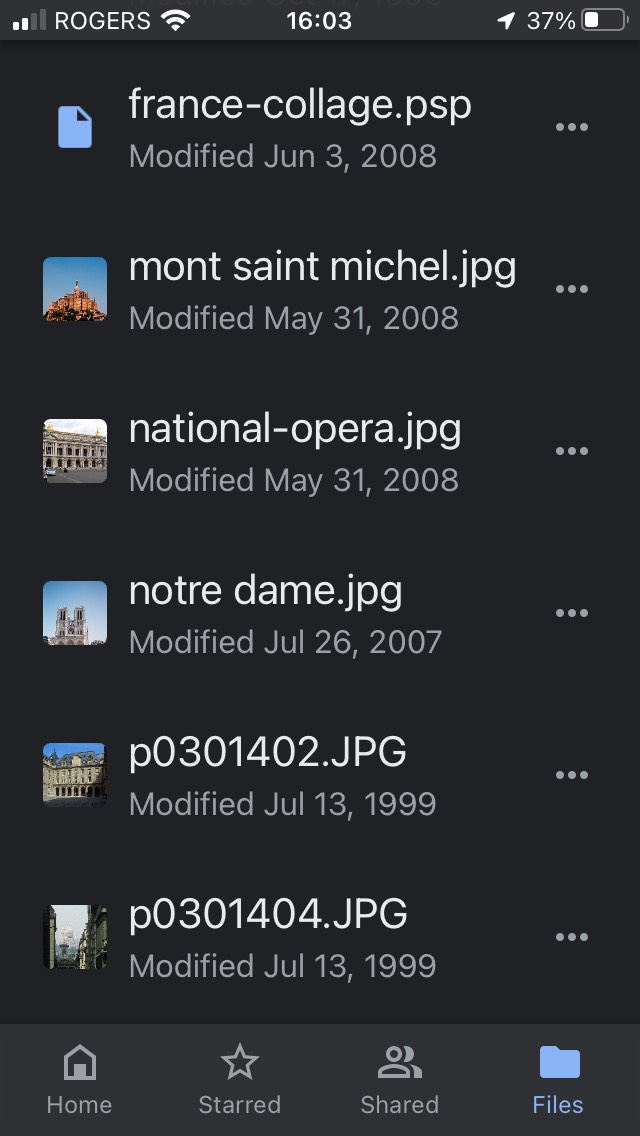
After you send me the requested information, I will send back a draft for your approval and then upload your finished graphics to a shared Google Drive folder. You can choose to download these and store them in your computer’s hard drive (recommended) or access them through your phone as shown below.
How to Post Your Images from Your Phone
1. Use the Google Drive app on your phone to navigate to our shared folder. If you don’t already have the Google Drive app on your phone, you can get it for free from the App Store.
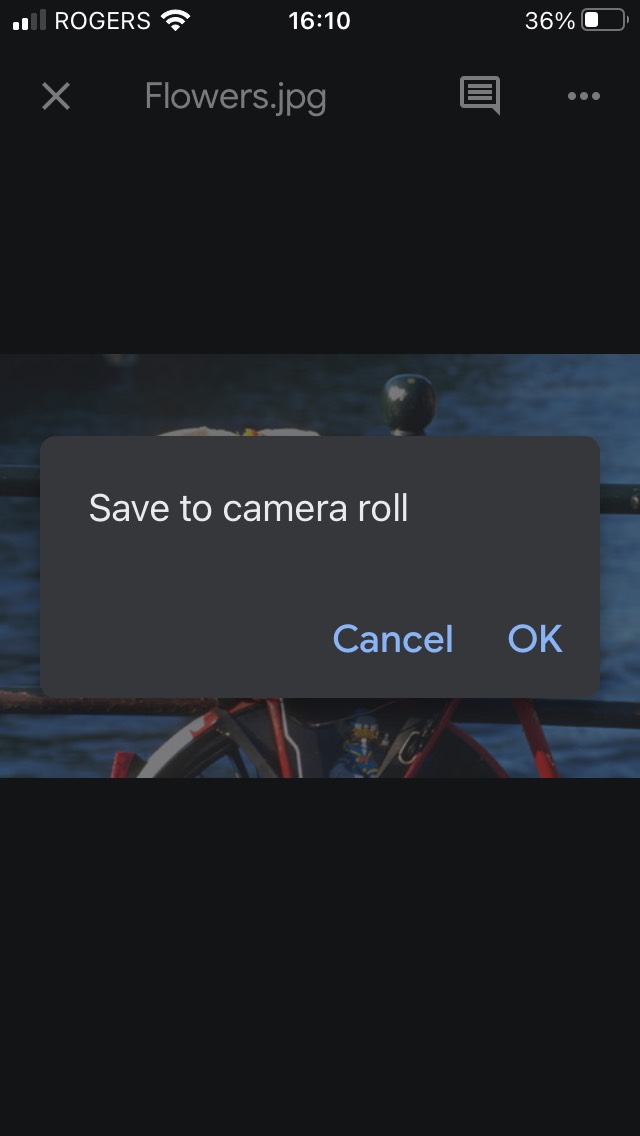
2. Tap to open the image you want to load. Then tap and hold until the Save dialog appears. Save the image to your phone (camera roll on the iPhone). This allows your graphics to be loaded from your phone into your social media apps when you’re ready to post them. You can delete the photos from your phone when you’re done. It will stay in our Google Drive folder. (Don’t delete files from our shared folder! You might want to reuse them.)
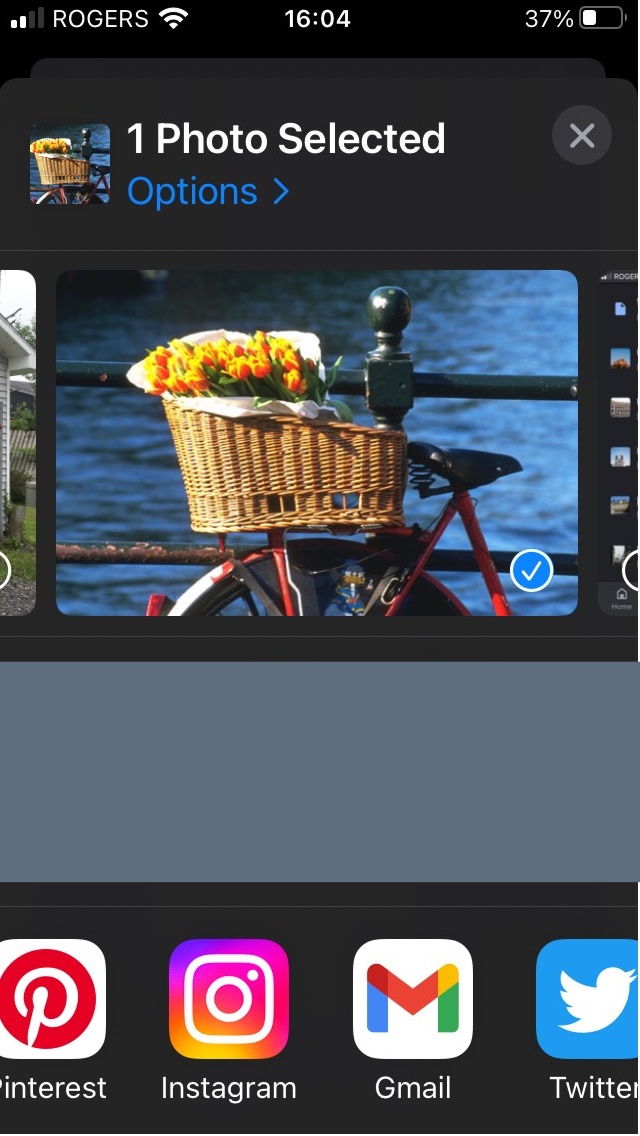
3. Choose the social media app where you want to post your image. You can open your app by choosing the image from your camera roll as shown below or you can open your social media app (Twitter, etc.) directly and choose your image from there.
Not clear? Don’t worry! I will provide you with the help you need to load your images.